Styling
Theme the palette with CSS variables, restyle it with data attributes, or write every rule yourself.
The components ship with no styles of their own. You can theme them in three ways, and mix them.
1. The default theme
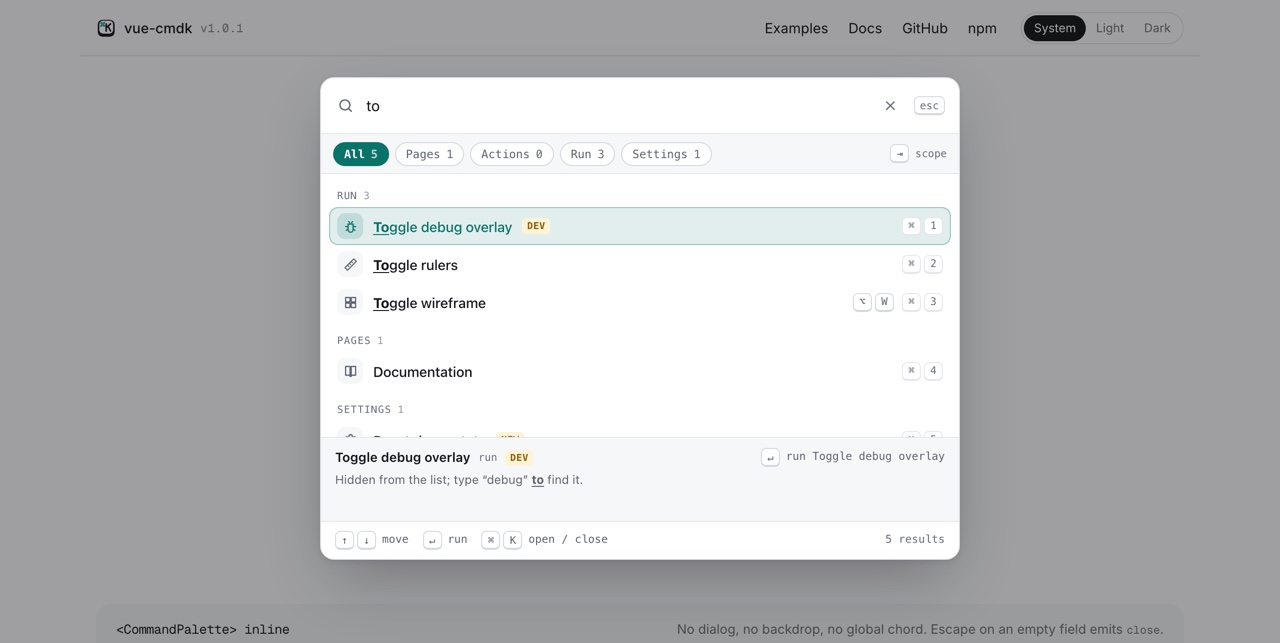
import 'vue-cmdk-palette/style.css'The theme covers the dialog, the inline palette, chips, the detail panel and the footer, in light and dark. You get the dark theme under prefers-color-scheme: dark (unless an ancestor has [data-theme='light']) and under any [data-theme='dark'] ancestor. Animations switch off under prefers-reduced-motion.
2. Theme variables
Every color, size and font in the theme is a --cmdk-* custom property. Override any of them on :root, or on an ancestor of one palette:
:root {
  --cmdk-accent: #7c3aed;
  --cmdk-width: 720px;
  --cmdk-radius: 10px;
}| variable | controls |
|---|---|
--cmdk-font, --cmdk-font-mono |
Text, and the key caps and headings. |
--cmdk-width, --cmdk-max-height |
The dialog’s size. |
--cmdk-top |
The dialog’s distance from the top of the window. |
--cmdk-radius, --cmdk-row-radius |
Corner rounding of the card and the rows. |
--cmdk-bg, --cmdk-bg-sunken, --cmdk-bg-hover |
Surfaces. |
--cmdk-fg, --cmdk-fg-muted, --cmdk-fg-faint |
Text colors, strongest to weakest. |
--cmdk-border, --cmdk-border-strong |
Dividers and outlines. |
--cmdk-accent, --cmdk-accent-fg |
The selected row, active chip, and focus marks. |
--cmdk-highlight |
The color of matched text. |
--cmdk-badge-bg, --cmdk-badge-fg |
Badges. |
--cmdk-overlay, --cmdk-shadow |
The backdrop and the dialog’s shadow. |
The dialog is teleported to body, so for a dialog, set variables on :root or body rather than on the component’s parent. An inline palette picks them up from any ancestor.
<script setup lang="ts">
import { ref } from 'vue'
import { CommandPalette, type Command, type CommandContext } from 'vue-cmdk-palette'

const last = ref('nothing yet')
const run = (context: CommandContext): void => {
  last.value = context.command.label
}

const commands: Command[] = [
  { kind: 'action', id: 'deploy', label: 'Deploy to production', group: 'Project', badge: 'Live', perform: run },
  { kind: 'action', id: 'preview', label: 'Create a preview', group: 'Project', shortcut: 'mod+p', perform: run },
  { kind: 'action', id: 'logs', label: 'Open logs', group: 'Project', hint: 'Last 24 hours', perform: run },
  { kind: 'action', id: 'invite', label: 'Invite a teammate', group: 'Team', perform: run },
]
</script>

<template>
  <!-- Variables are inherited, so setting them on any ancestor themes everything inside. -->
  <div class="brand">
    <CommandPalette :commands="commands" :recents="false" :autofocus="false" />
  </div>
  <p class="note">Last command: {{ last }}</p>
</template>

<style scoped>
.brand {
  --cmdk-font: Georgia, 'Times New Roman', serif;
  --cmdk-radius: 18px;
  --cmdk-row-radius: 999px;
  --cmdk-bg: #fdf6ec;
  --cmdk-bg-sunken: #f6ead8;
  --cmdk-bg-hover: #f3e3cc;
  --cmdk-fg: #3b2414;
  --cmdk-fg-muted: #7a5a43;
  --cmdk-fg-faint: #a3836b;
  --cmdk-border: #ead6bb;
  --cmdk-border-strong: #dcc09c;
  --cmdk-accent: #c2410c;
  --cmdk-accent-fg: #ffffff;
  --cmdk-badge-bg: #c2410c;
  --cmdk-badge-fg: #ffffff;
  height: 300px;
  display: flex;
  flex-direction: column;
}

.brand :deep([data-cmdk-root]) {
  flex: 1;
  min-height: 0;
}
</style>
3. Data attributes
Every part has a data-cmdk-* attribute, and state lives in data-selected, data-disabled and data-active. Write ordinary CSS against them, either on top of the theme or instead of it:
[data-cmdk-item][data-selected='true'] {
  color: white;
  background: black;
}

[data-cmdk-group-heading]::before {
  content: '# ';
}
In a component with <style scoped>, wrap the selectors in :deep(), because the palette’s markup isn’t part of your component’s scope.
The main hooks are data-cmdk-root, -overlay, -dialog, -field, -input, -scopes, -chip, -list, -group, -group-heading, -item, -item-label, -icon, -badge, -kbd, -highlight, -detail and -footer.
<script setup lang="ts">
import { ref } from 'vue'
import { CommandPalette, type Command, type CommandContext } from 'vue-cmdk-palette'

const last = ref('nothing yet')
const run = (context: CommandContext): void => {
  last.value = context.command.label
}

const commands: Command[] = [
  { kind: 'action', id: 'status', label: 'git status', group: 'git', perform: run },
  { kind: 'action', id: 'pull', label: 'git pull --rebase', group: 'git', perform: run },
  { kind: 'action', id: 'build', label: 'bun run build', group: 'scripts', shortcut: 'mod+b', perform: run },
  { kind: 'action', id: 'test', label: 'bun run test', group: 'scripts', perform: run },
  { kind: 'action', id: 'lint', label: 'bun run lint', group: 'scripts', disabled: 'Already running', perform: run },
]
</script>

<template>
  <div class="terminal">
    <CommandPalette
      :commands="commands"
      :recents="false"
      :autofocus="false"
      :quick-select="false"
      :labels="{ placeholder: 'run…' }"
    />
  </div>
  <p class="note">Last command: {{ last }}</p>
</template>

<style scoped>
/*
 * Past the variables, every part has a data-cmdk-* attribute and the state lives in
 * data-selected, data-disabled and data-active, so ordinary CSS can restyle anything.
 */
.terminal {
  --cmdk-font: var(--cmdk-font-mono);
  --cmdk-radius: 4px;
  --cmdk-row-radius: 0;
  --cmdk-bg: #0b0f0c;
  --cmdk-bg-sunken: #0b0f0c;
  --cmdk-fg: #b8f5c4;
  --cmdk-fg-muted: #6fbf80;
  --cmdk-fg-faint: #4b8a5a;
  --cmdk-border: #1f3b27;
  --cmdk-accent: #39d353;
  height: 300px;
  display: flex;
  flex-direction: column;
}

.terminal :deep([data-cmdk-root]) {
  flex: 1;
  min-height: 0;
}

.terminal :deep([data-cmdk-group-heading])::before {
  content: '# ';
}

.terminal :deep([data-cmdk-item]) {
  min-height: 30px;
}

.terminal :deep([data-cmdk-item][data-selected='true']) {
  color: #0b0f0c;
  background: var(--cmdk-accent);
  box-shadow: none;
}

.terminal :deep([data-cmdk-item][data-selected='true'] *) {
  color: inherit;
}

.terminal :deep([data-cmdk-item])::before {
  content: '$';
  opacity: 0.5;
}

.terminal :deep([data-cmdk-item][data-disabled='true']) {
  text-decoration: line-through;
}
</style>
Fully custom
Skip the stylesheet and nothing is styled. For full control over the markup as well as the CSS, use the headless composable.